


Every guest’s photos, in one place.
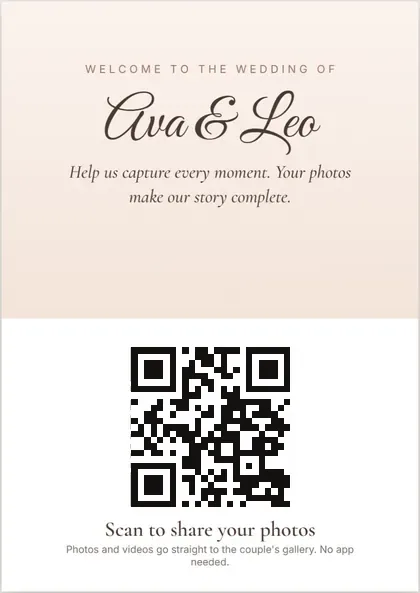
Put a QR code on the tables. Guests scan it, add their name and upload straight from their phone — no app, no account. Everything lands in one shared gallery the couple can approve, hide and download.
Free during early access · No card needed
How Moments works
- 1
Create your event
Name it, add a welcome message, and choose whether guest photos show straight away or only after approval.
- 2
Print the QR code
Pick a design for table cards, posters or an entrance sign, or show the code on a screen.
- 3
Guests scan and upload
They add their name and their photos and videos from their phone. No app to install and no account to create.
Scan, add your name, upload.
Guests open the event page with their phone camera. It works in the browser, so there’s nothing to download.
- No app and no account — just a name and an email so the hosts can send the photos later.
- Photos and videos straight from the phone. You set the largest video size, up to 10 GB.
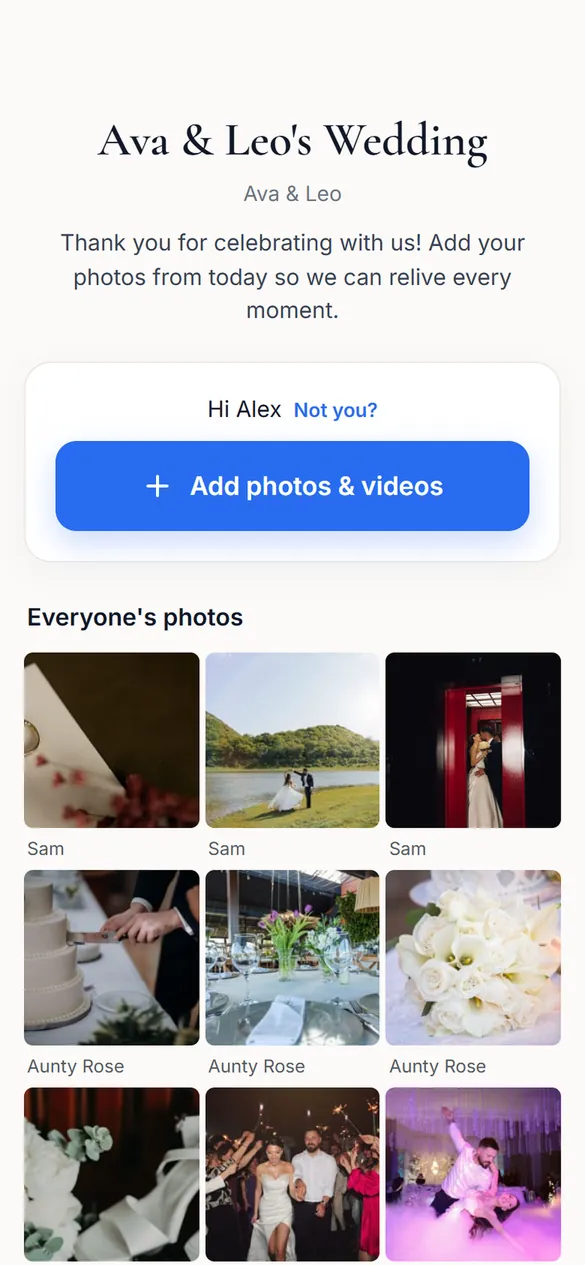
- Every photo shows who added it, so the couple knows exactly who to thank.
- Guests can see, and download, everyone’s photos, if you allow it.
- Set limits: close uploads automatically 7 to 90 days after the event, and cap the space each event can use.
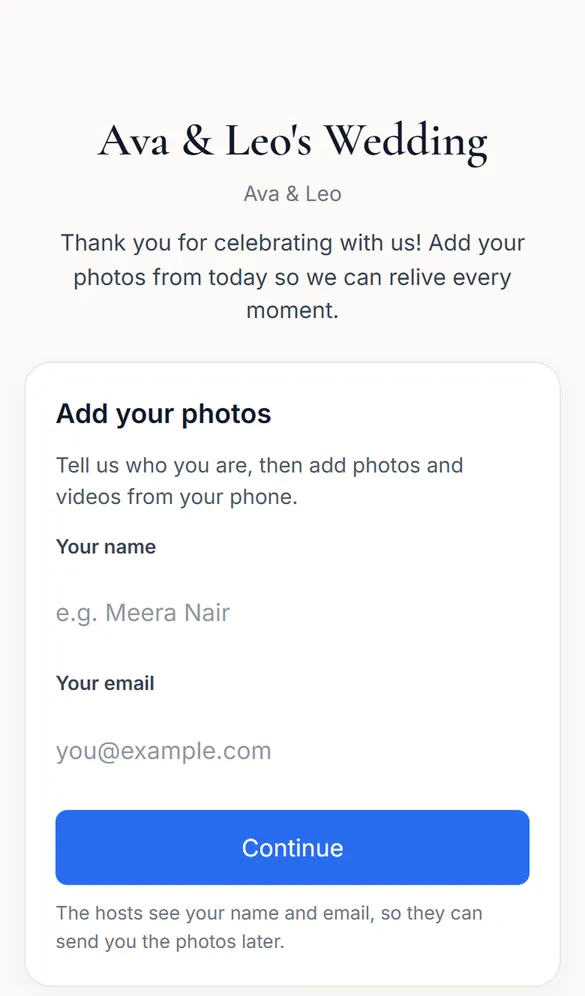
Table cards, posters and entrance signs.
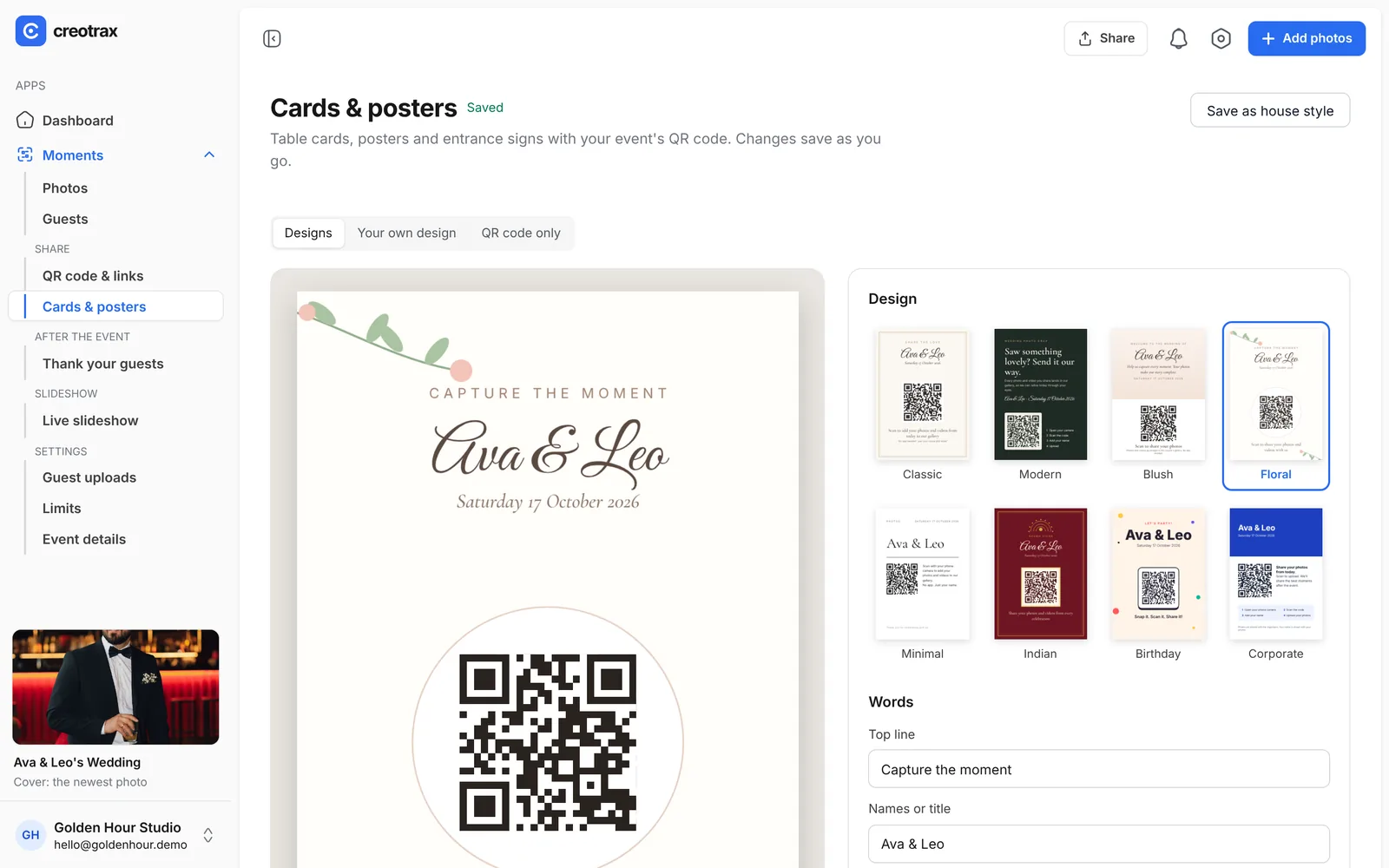
Design the printed QR code inside Creotrax and download it ready for the printer.
- 8 designs: Classic, Modern, Blush, Floral, Minimal, Indian, Birthday and Corporate.
- 16 fonts for the names, and your own colours.
- Or upload your own artwork and place the QR code on it.
- Cards from A6, posters to A3 and signs to A1. Download a print-ready PDF or PNG, or just the QR code as a PNG or SVG.
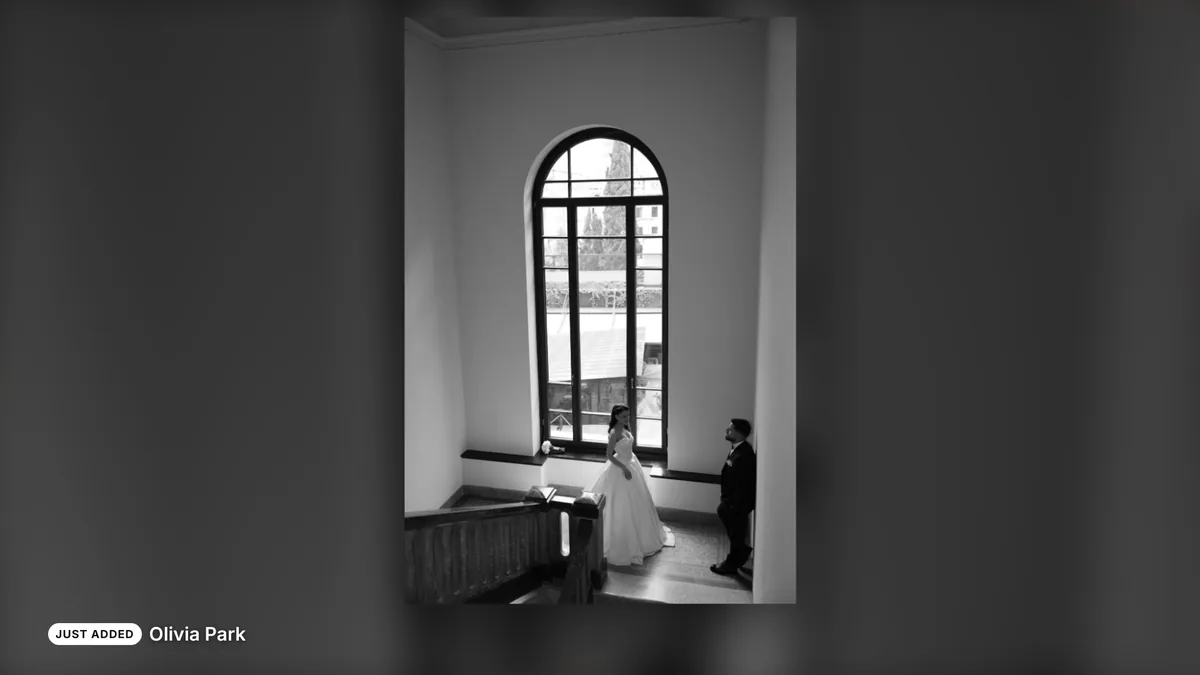
Put the party on the big screen.
Open the slideshow on a TV or projector at the reception and watch the photos arrive.
- New photos appear within seconds, marked “Just added” with the guest’s name, and jump the queue.
- A small “scan to add” QR code stays on screen, so more guests join in.
- Choose 4 to 20 seconds per photo, the transition (fade with slow zoom, fade, slide or none) and the order (oldest, newest or shuffle).
- Repeat everything, repeat the latest 50, or play once and then show the QR code.
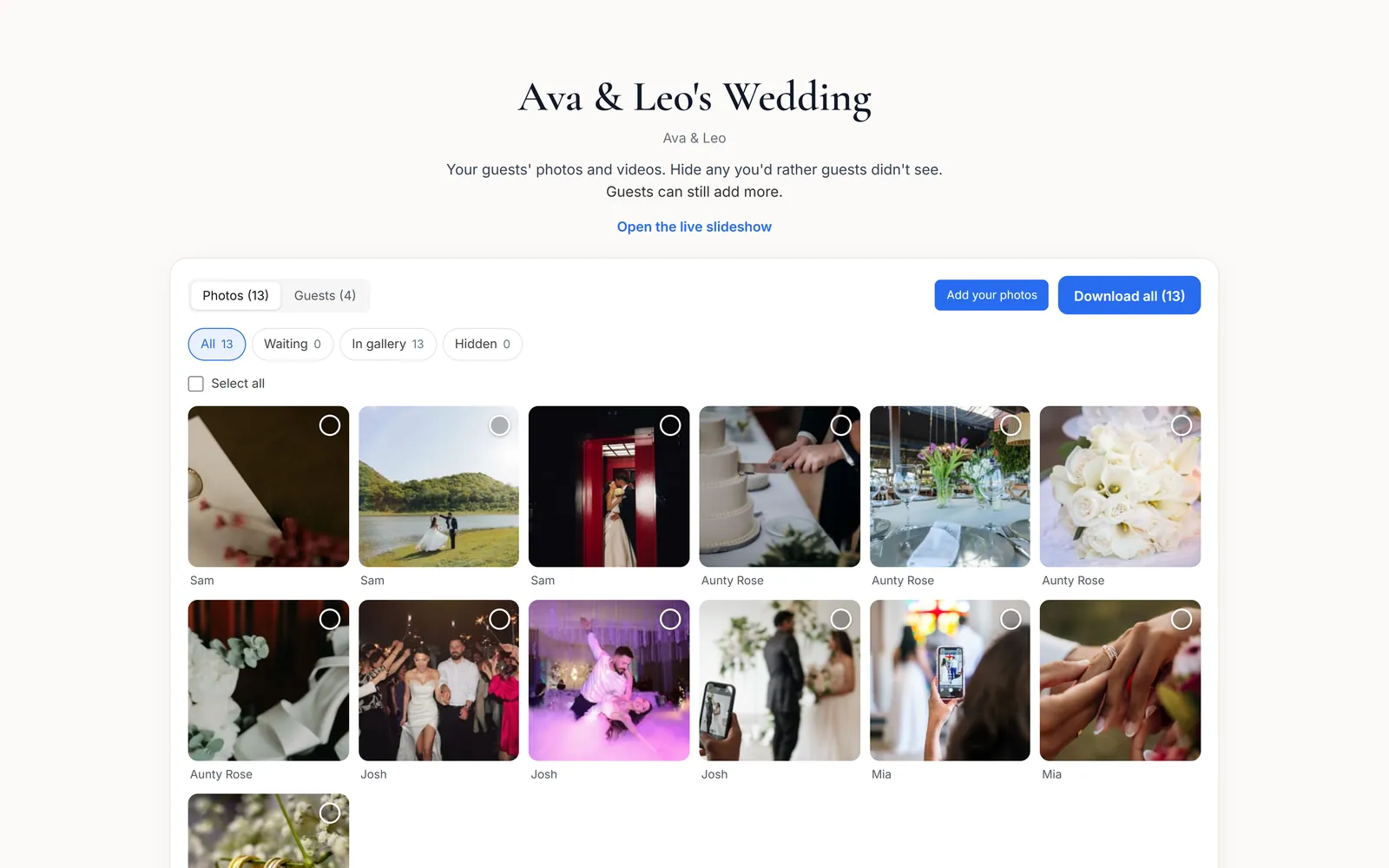
One page to approve, hide and download.
The couple gets their own private link. No Creotrax account needed.
- Approve, hide or delete photos, and see who came.
- Download everything as one ZIP, with each photo named after the guest who took it.
- The couple and you can add your own photos to the event gallery too.
- Tidy before you share: hide photos, or delete them — deleted photos sit in Trash for 7 days, so nothing is lost by accident.
- Thank your guests by email after the event — from their page or yours.
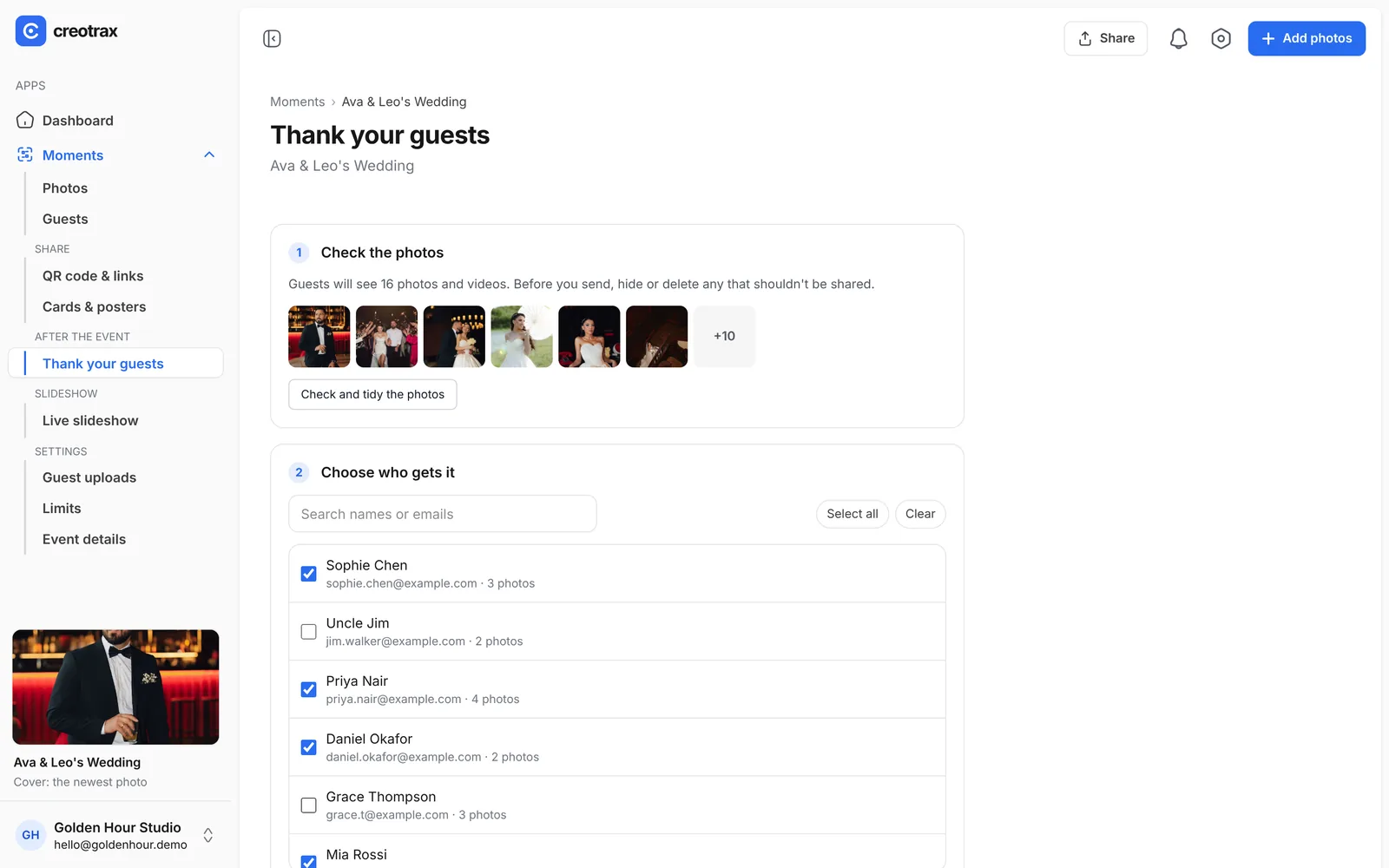
Thank your guests.
Send guests a thank-you email with a link to everyone’s photos.
- Check and tidy the photos first: hide or delete any that shouldn’t be shared.
- Choose exactly who gets it. Each guest is listed with their email and how many photos they added.
- Link to everyone’s photos, or, on Studio, to your edited client gallery.
- It remembers who’s already been sent it, so nobody gets it twice.
- You or the couple can send it.
For photographers and studios
Moments is included in Studio, alongside Client Gallery and CreoDrive. Planned price $18 a month with 100 GB, in Australian dollars. Free during early access.
See Studio pricingPlanning your own wedding or party? Coming soon
The Event pass is a one-off $59 for one event, with no subscription. It isn’t available yet.
Notify meMoments questions, answered
Do guests need to install an app or create an account?
Can I check photos before everyone sees them?
Can guests upload videos?
How does the couple get the photos?
How do guests see the photos afterwards?
What does Moments cost?
Ready for your next wedding?
Request an invite. When your spot opens you’ll get an email to set up your account. Free, no card needed.
Request an inviteDemo wedding photos by Irakli Maghradze Photographer (@irakli_maghradze_photographer), used with permission