


One drive for everything that isn’t a gallery.
RAW files, 4K films, contracts and your clients’ own uploads sit right beside your galleries. Share any folder with an expiring link, and know the moment it’s opened.
Free during early access · No card needed
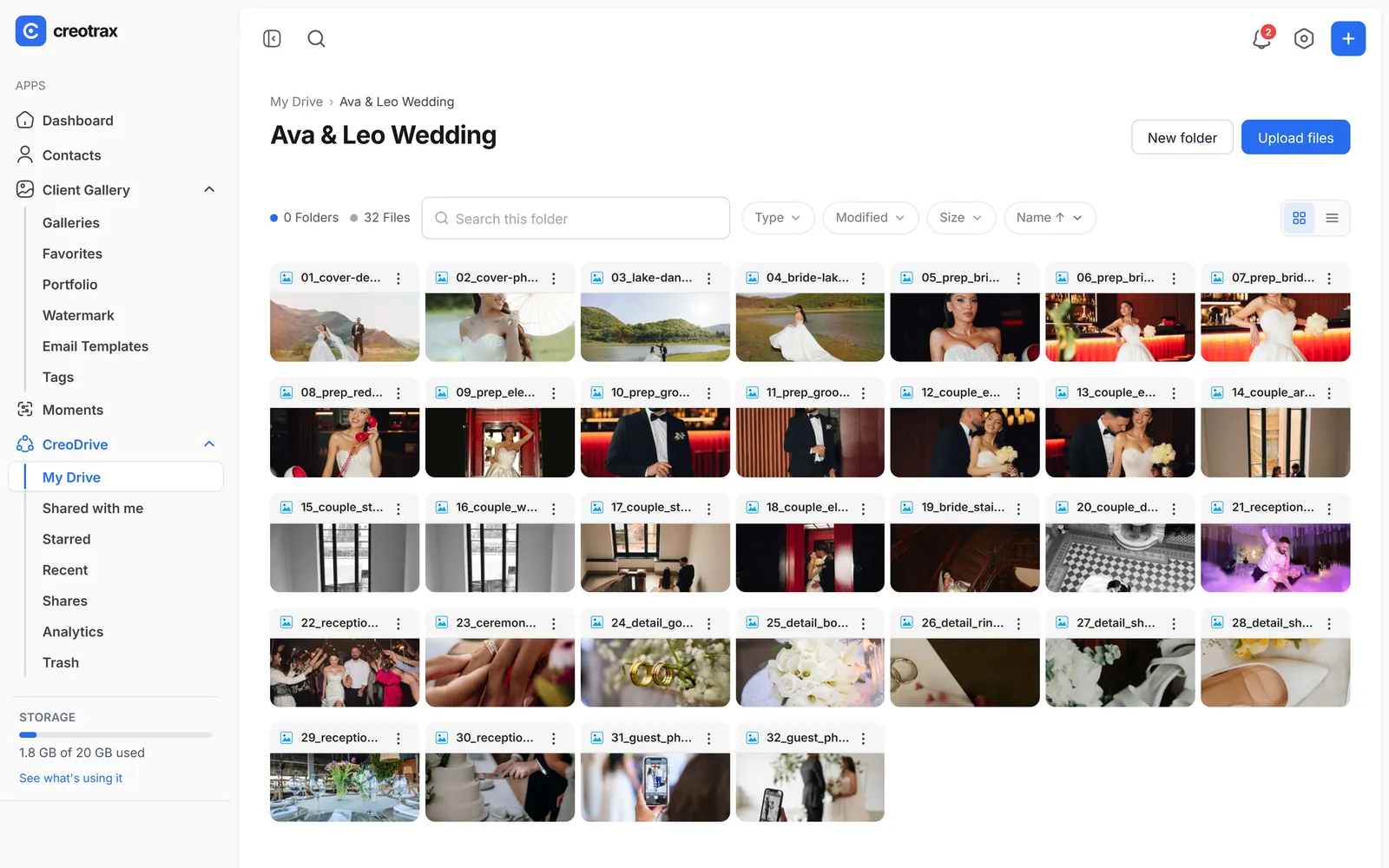
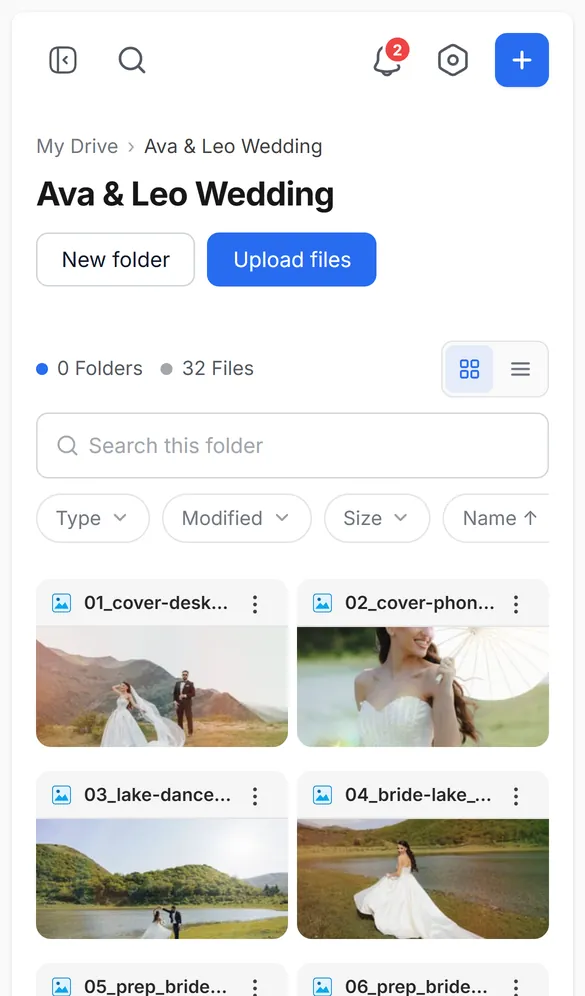
How CreoDrive works
- 1
Upload
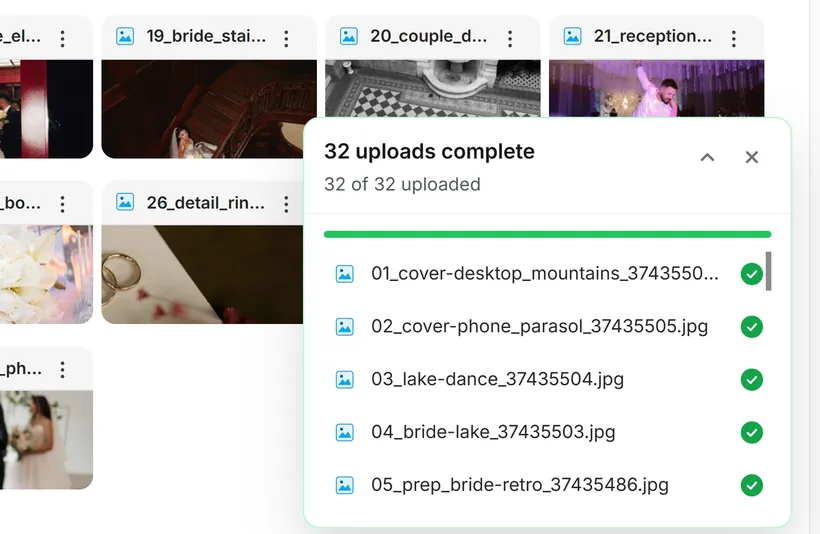
Drop in files or whole folders. Big files upload in parts, with live progress for each one.
- 2
Share
Share a file or folder with the people you add, or with anyone who has the link.
- 3
Track
See who opened the share and what they downloaded.
Uploads that take anything.
Built for wedding films and full-resolution folders, not just documents.
- Single files up to 10 GB.
- Drop whole folders, subfolders and all. Inside a folder drop each file can be up to 150 MB; upload bigger files on their own.
- Live progress for every file, automatic retry, and a clear reason if one fails.
- Photos, RAW files, videos, audio and PDFs open in a full-screen viewer.
Share with the right people.
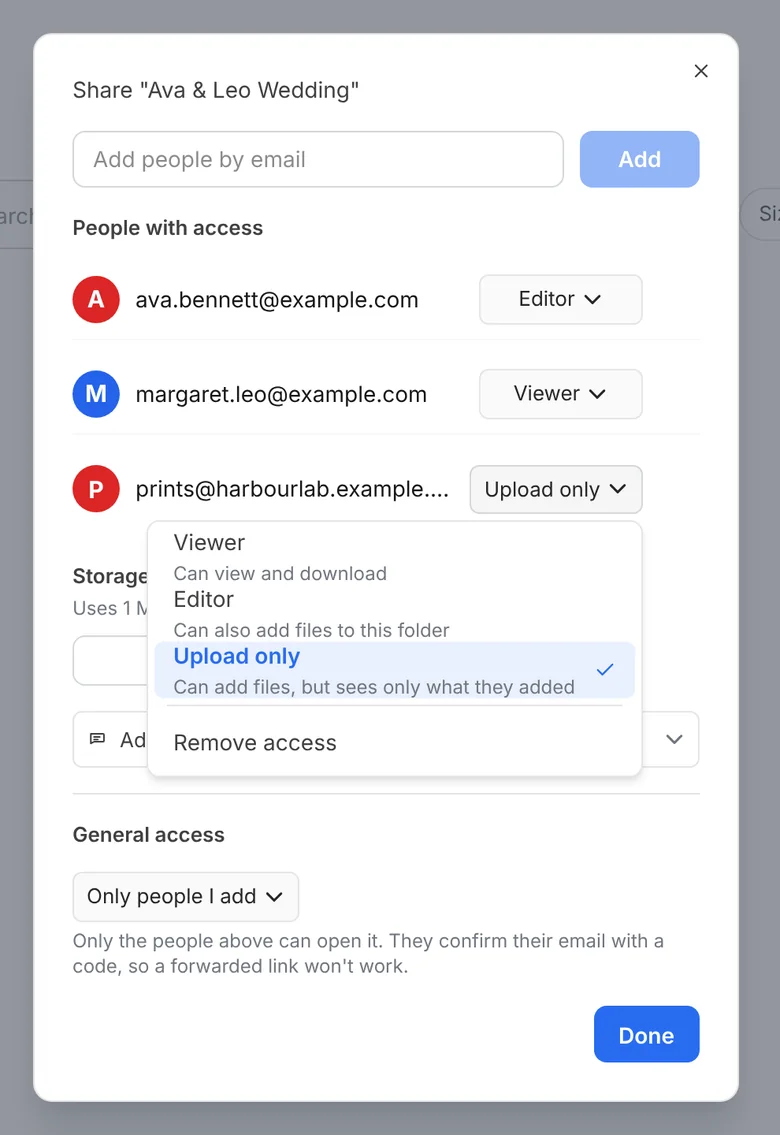
Choose who can open each share, and for how long.
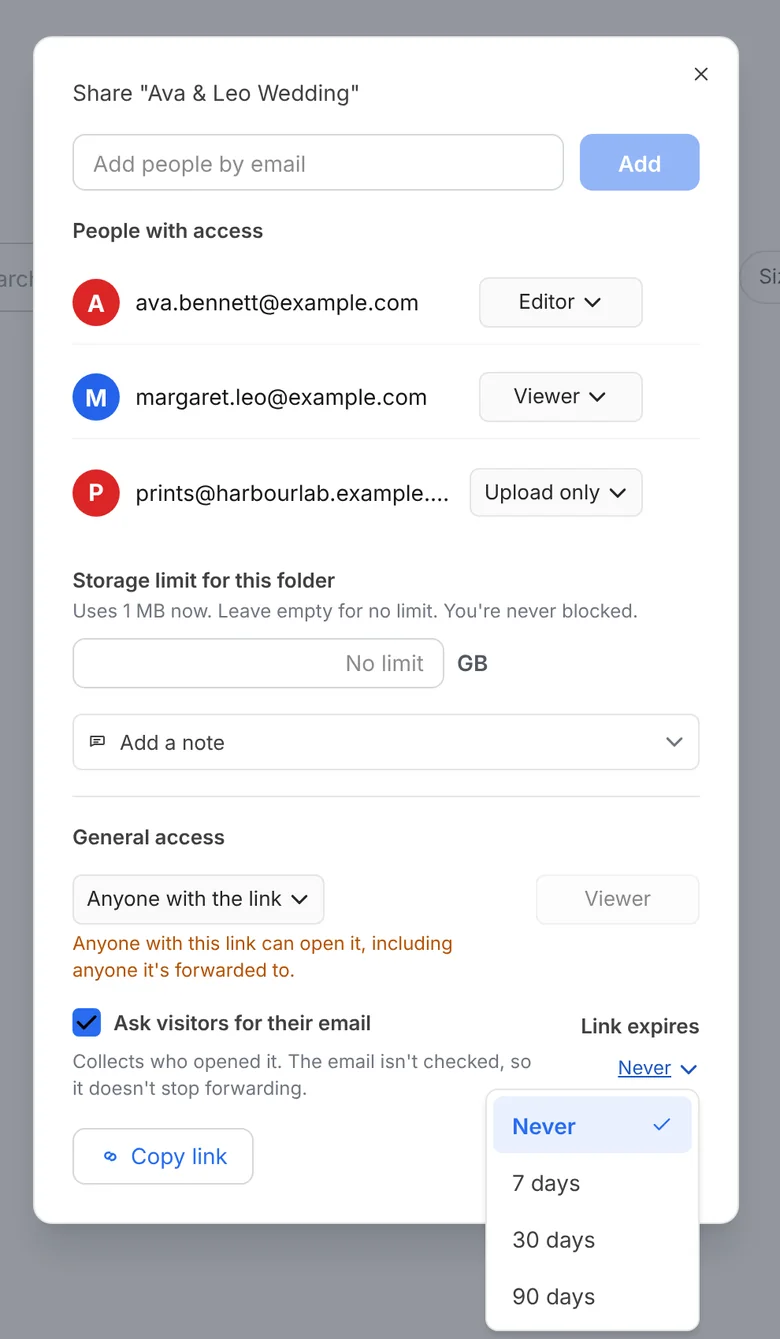
- Private shares are verified by a one-time email code, so a forwarded link doesn’t open for someone else.
- Or share with anyone who has the link (view only), and ask visitors for their email.
- Expiry dates you can change, and one click to revoke a share. An expired share comes back on the same link if you set a new date.
- Let people you add by email view, edit, or upload only.
- Share several items in one link, and set a storage limit for a shared folder.
- Someone with a forwarded link can request their own access. You approve or decline it from the Shares page.
- A “Shared with me” page for recipients who have a Creotrax account. Everyone else just opens their link.
Know the moment it’s opened.
No more “did you get my link?” emails.
- Opens and downloads tracked for every share, with a share analytics page showing views and downloads over time.
- See how many devices have opened a share.
- A notification in the app when a share is opened or downloaded from, and a reminder in the app 3 days before a share link expires.
- Files someone adds show “Added by” their name, and you get a notification.
Nothing is gone by accident.
Your account and your files are protected from mistakes and from other people.
- Trash with a 7-day undo. Links to an item stop working while it’s in Trash, and come back when you restore it.
- Two-step verification with an authenticator app or email codes.
- See every signed-in device and sign any of them out.
- An activity log for your account, kept for 12 months and then deleted.
7 days
to restore anything from Trash
2-step
verification built in
12 months
of account activity history
Signed links
every download link expires
Everything in its place.
CreoDrive works the way you expect a drive to work.
- Folders, move, rename and multi-select, in grid or list view.
- Starred and Recent pages, plus search and filters by type, date and size.
- Folder colours.
- Downloads that don’t fail: one file straight away, folders as the original folder or a ZIP, and big ZIPs prepared in the background that pick up again if the connection drops.
- Contacts, so sharing with a regular client takes seconds.
- Your galleries appear in Drive as folders, and a photo counts once towards your storage.
Drive
CreoDrive on its own, for storing and sharing files. Planned price $8 a month with 100 GB, in Australian dollars. Free during early access.
See pricingStudio
CreoDrive plus Client Gallery and Moments, for photographers and videographers. Planned price $18 a month with 100 GB. More storage in 100 GB steps on either plan.
More about Client GalleryCreoDrive questions, answered
How big can a file be?
Do the people I share with need an account?
What happens if someone forwards my link?
Can clients send files to me?
What if I delete something by mistake?
What happens if I run out of space?
Can I use my own NAS or cloud storage?
Send your next film with CreoDrive.
Request an invite. When your spot opens you’ll get an email to set up your account. Free, no card needed.
Request an inviteDemo wedding photos by Irakli Maghradze Photographer (@irakli_maghradze_photographer), used with permission