


Galleries your couples will brag about.
Twelve cover designs, your watermark, your photo order. Clients view, heart and comment from any phone or laptop — and every pick lands back in your workspace.
Free during early access · No card needed

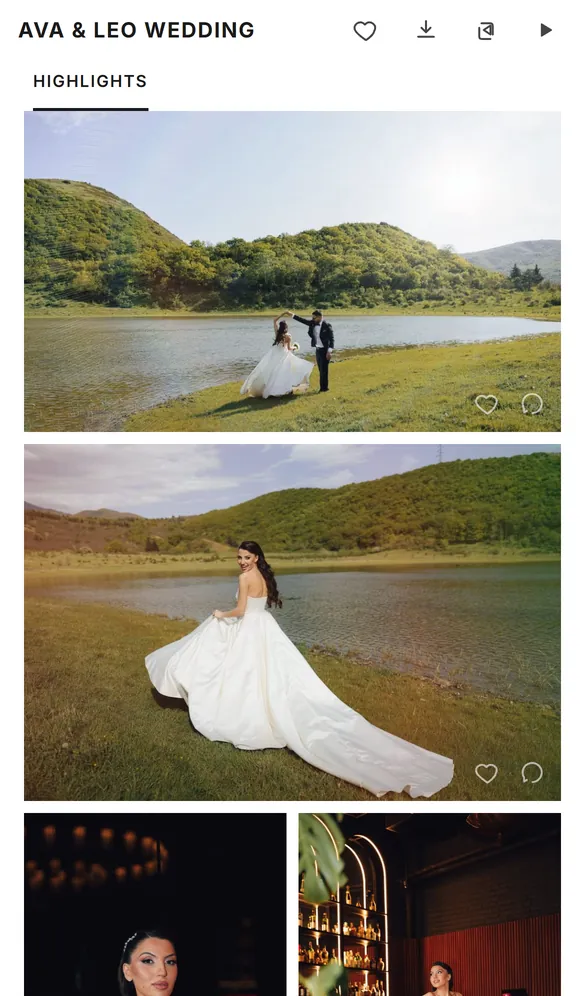
How Client Gallery works
- 1
Upload your photos
Add JPG or camera RAW, sort them into sets and put them in the order you want.
- 2
Make it yours
Pick a cover design and a grid layout, and switch on your watermark if you want one.
- 3
Share the link
Send it by email, copy the link or show a QR code. Clients open it on any phone or laptop, with no account.
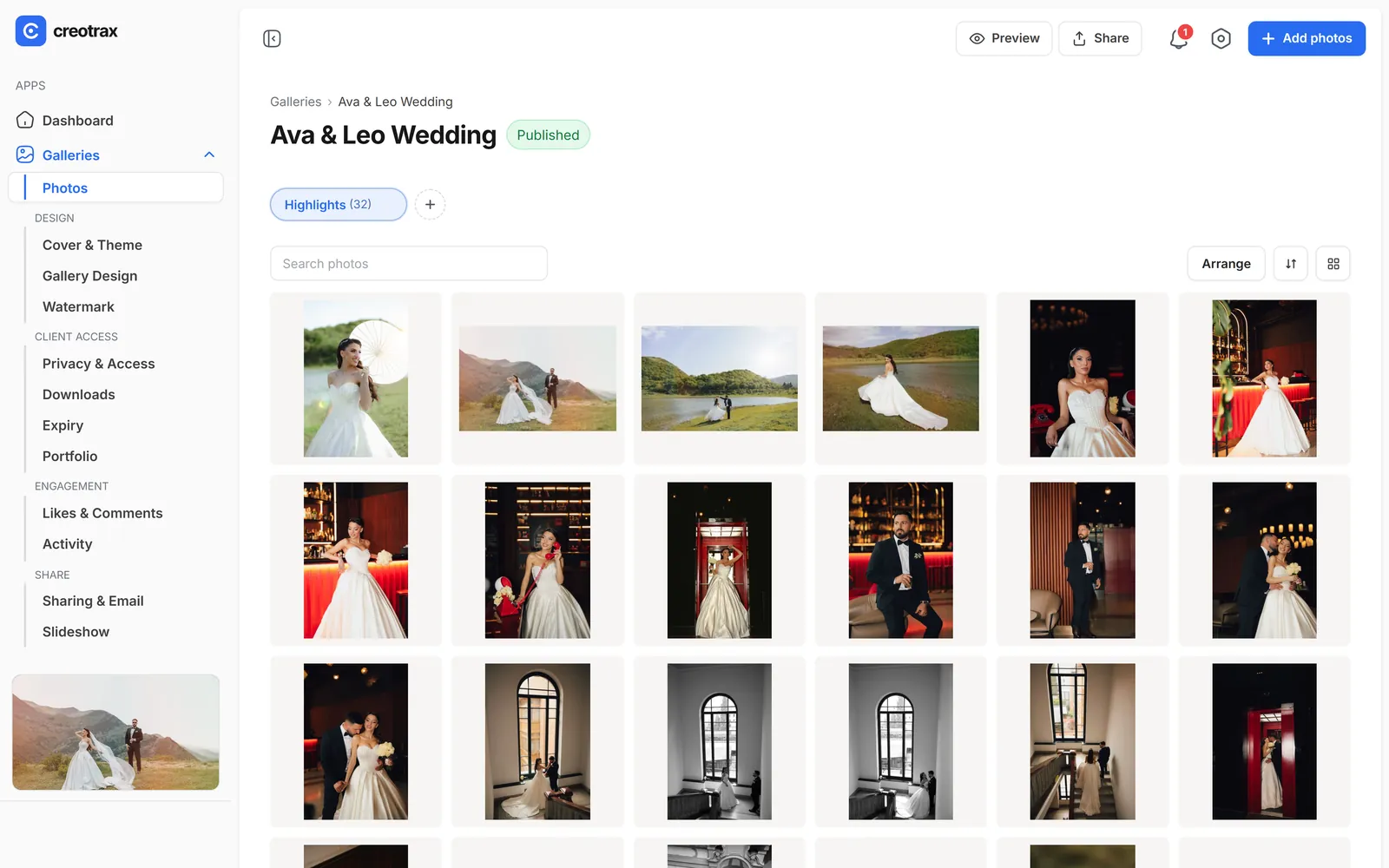
A cover and a layout for every wedding.
Set the first thing your client sees, then choose how the photos are laid out.
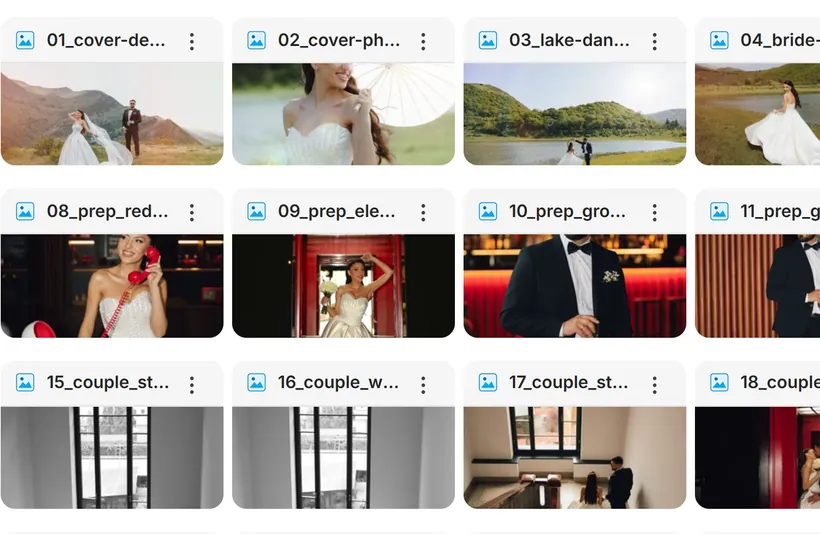
- Twelve cover designs, each laid out separately for computers and phones. Click a focus point and every design crops around it.
- Six font sets and eight colour palettes that style the whole gallery. Your photos are never tinted.
- Your own cover photo, with your logo, studio name, gallery name and date shown or hidden.
- Four grid layouts: Mosaic, Editorial, Vertical and Horizontal, with your choice of photo size and spacing.
- Sets for each part of the day, such as Highlights and Ceremony. Drag photos into order, or sort by filename or upload order.
- A slideshow your clients can play, at 3, 5 or 8 seconds a photo, with a fade or slide.
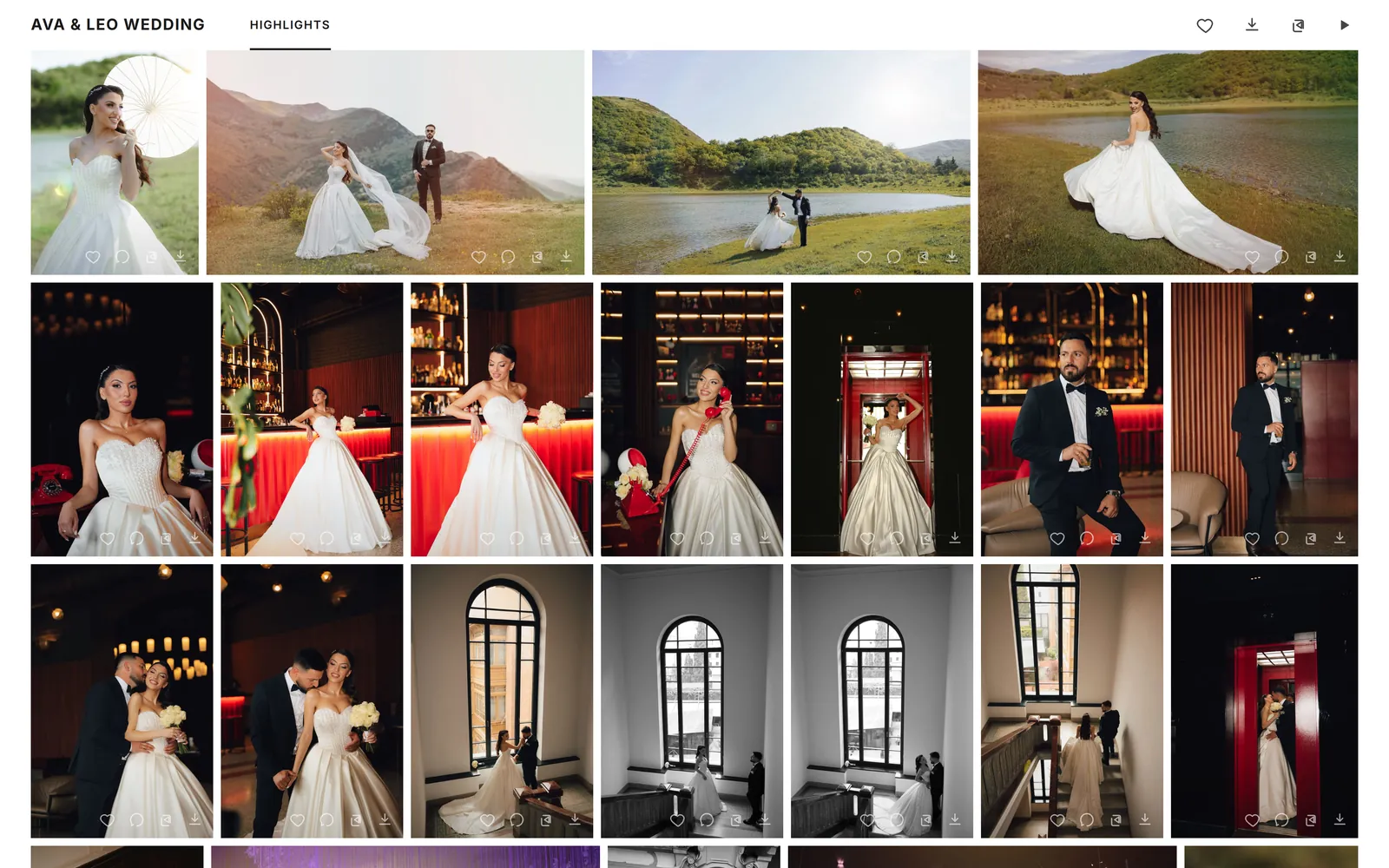
Hearts, comments and picks.
Clients choose their favourites in the gallery, so you’re not chasing lists by email.
- Clients heart their favourites and comment on any photo, and you can reply.
- Activity for each gallery: views, visitors, favourites and downloads, with a 30-day chart.
- Copy filenames gives you the client’s picks in Lightroom’s format.
- Let the couple help: people you add can hide photos, set the cover and arrange the order, signing in with an emailed code.
- Share with guests: clear the likes and comments for a fresh start, while keeping the client’s picks.
- Hide photos you’re not ready to show, without deleting them.
Films and photos, reviewed in one place.
On Studio, deliver films in the same gallery and get sign-off without a single email thread.
- Videos up to 10 GB each, mixed in with the photos. 4K and HDR files get a smooth 1080p copy for playback; downloads stay original.
- Clients pause and comment on an exact moment, and you reply and mark each note as done.
- Upload a new version of a film; earlier versions and their comments are kept.
- Approve this edit, and Approve gallery: you get a notification and an email.
- Proofing locks a gallery to invited reviewers, with an optional watermark and a dated log you can download.
- A gallery film can play as a short silent loop behind the cover.
10 GB
per video, no minute limit
At 0:42
comments on an exact moment
Versions
every re-edit kept
Approve
sign-off with a notification
You decide who sees and downloads.
Each gallery has its own privacy, download and expiry settings.
- A gallery password, and an expiry date after which the gallery closes. Clients can be warned before it does.
- Downloads on or off. When they’re off, original files aren’t handed out at all.
- Originals and/or web size (2048px): your choice.
- Ask for an email before download, or set a download PIN.
- Your studio watermark as text or a logo, with its size, opacity and position, switched on per gallery. It shows on the photos clients view; downloads can stay clean.
- Big downloads are prepared in the background and emailed as a “Download ready” link that works for 7 days.
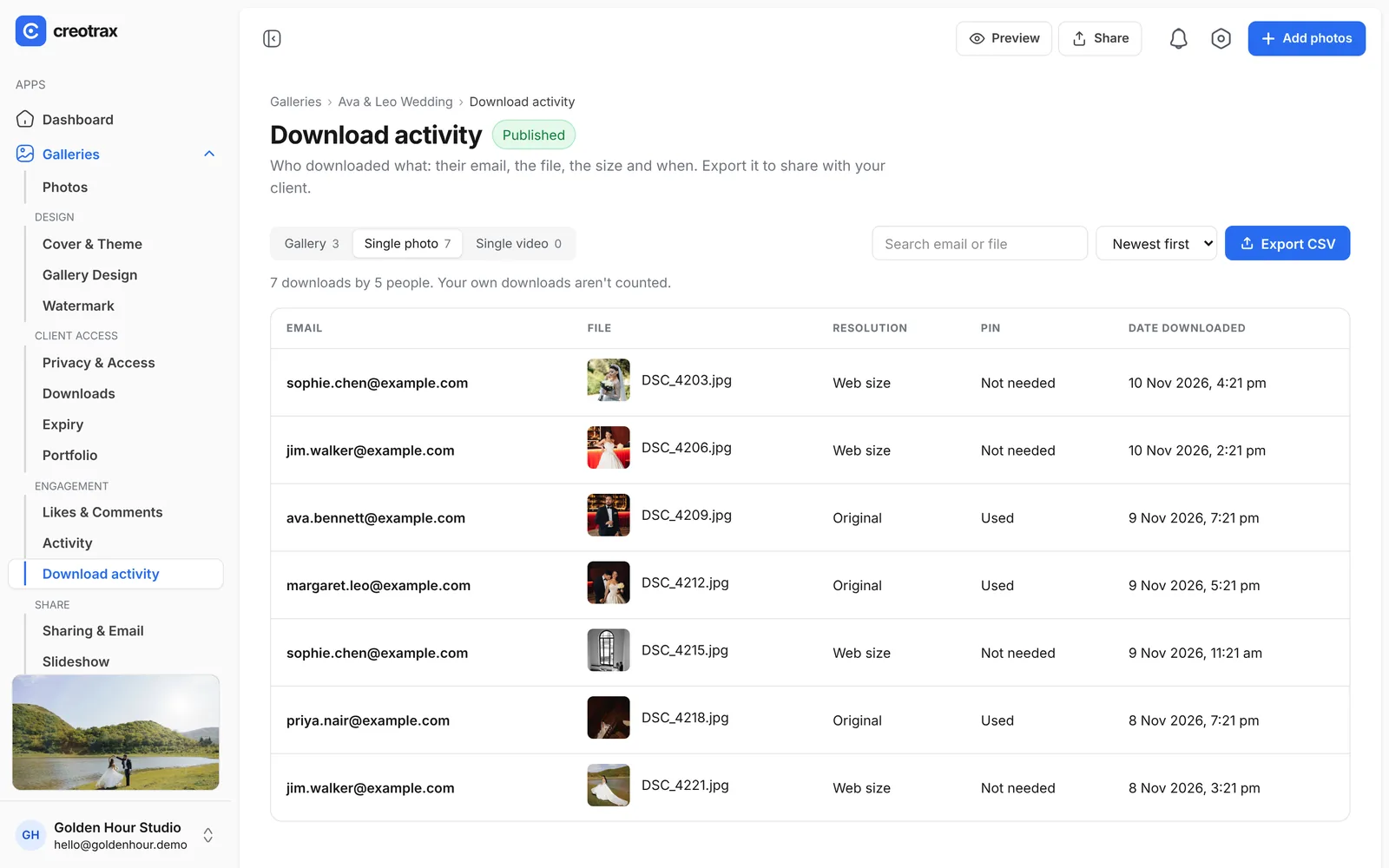
- Download activity: every download, with the email, the size and whether the PIN was needed — export it as a CSV.
Send it your way.
Get a finished gallery to your clients in a few clicks.
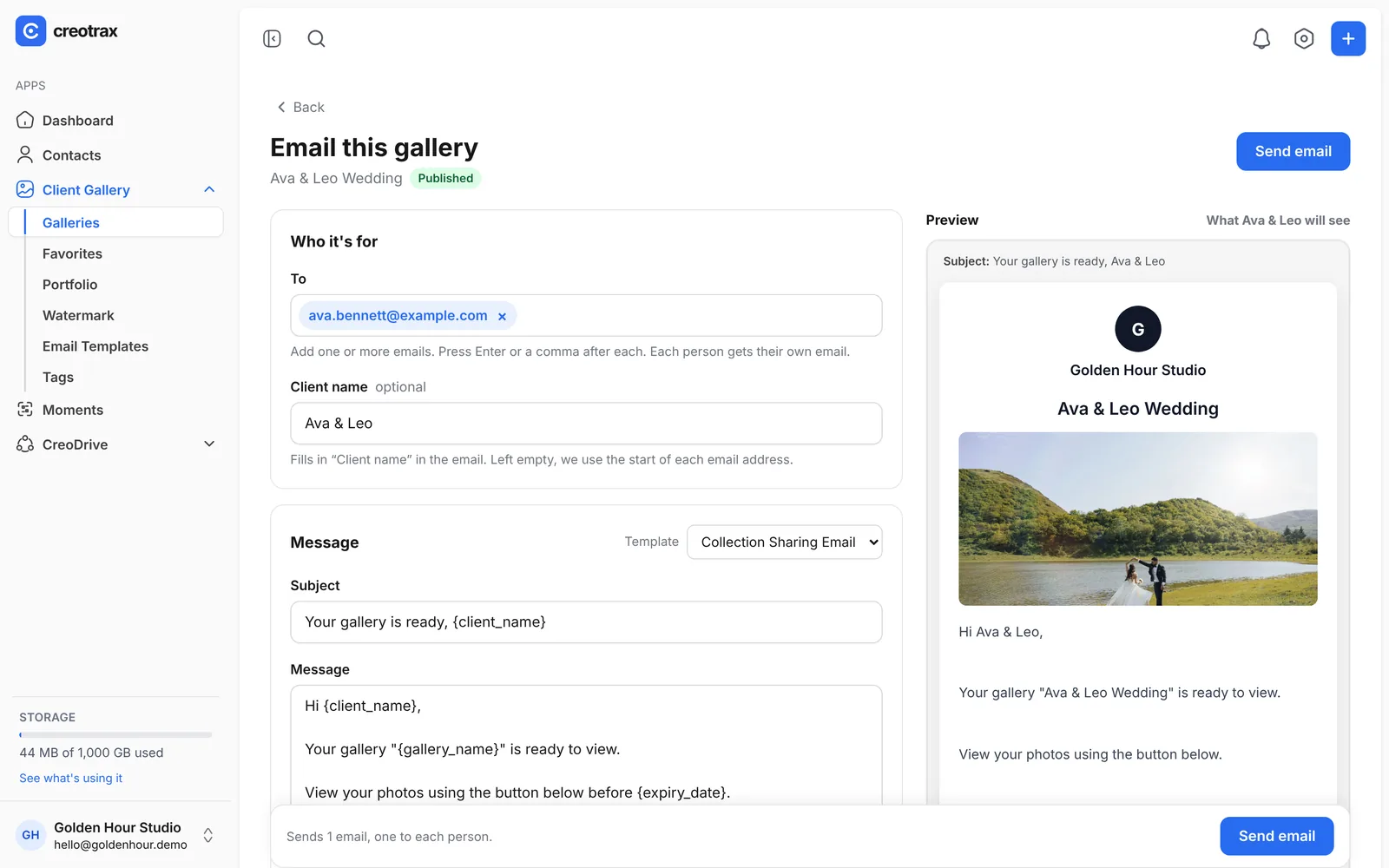
- Email a gallery straight from Creotrax with your cover photo and message. Add several people and each gets their own email.
- Email templates you can reuse, with the client’s name, gallery name, gallery link, expiry date and your studio name filled in.
- A direct link and a QR code for every gallery.
- A portfolio page for your studio: choose which galleries appear on it, with your contact details, a short intro and an optional password.
RAW in, no double handling.
Galleries and CreoDrive share one storage allowance, and a gallery is a folder in your Drive.
- Upload JPG, PNG, WebP and iPhone HEIC photos, and camera RAW (CR2, CR3, NEF, ARW, DNG, RAF, ORF and RW2). Clients see the photo straight away.
- Publish straight from Lightroom Classic with the free Creotrax plug-in, and bring your client’s favourites back into Lightroom.
- Create a gallery from a folder that’s already in CreoDrive. Each subfolder becomes a set, and photos directly in the folder go into a set called Highlights. Nothing is copied, so your storage doesn’t go up.
- No duplicate copies: a photo in a gallery and in Drive counts once towards your storage.
Included in Studio
Client Gallery is part of Studio, alongside Moments and CreoDrive. Planned price $18 a month with 100 GB, in Australian dollars. Free during early access.
See Studio pricingCollecting guests’ photos too?
Moments gives every wedding a QR code, so guests upload their own photos into one gallery for the couple.
More about MomentsClient Gallery questions, answered
Do my clients need an account?
Can I stop clients downloading the photos?
Can I upload RAW files?
Can I add my watermark?
Can clients choose photos for an album?
Can I put videos in a gallery?
Does it work with Lightroom?
What does Client Gallery cost?
Deliver your next gallery with Creotrax.
Request an invite. When your spot opens you’ll get an email to set up your account. Free, no card needed.
Request an inviteDemo wedding photos by Irakli Maghradze Photographer (@irakli_maghradze_photographer), used with permission